Capturing
Why is my full-page screenshot cut off or too large?
A browser canvas can't exceed 32,767 pixels on a side or about 268 million pixels in total. For a normal page width, the 32,767-pixel height limit is almost always what you hit first: the 268-million-pixel total only becomes the binding constraint on a page wider than about 8,200 pixels, far wider than any real browser viewport. Screenshot Suite checks this before starting and tells you immediately if a page is too large, rather than failing after a long wait.
Published · Updated
What are the two real size limits?
A browser canvas (the space an image is assembled on before it’s exported) can’t exceed 32,767 pixels on a side, or about 268 million pixels in total. Either limit alone can stop a capture; a page only needs to hit one of them.
Which limit do you actually hit in practice?
For almost any real page, it’s the height limit, not the total-pixel one. Do the math for a typical capture width: at 1,600 pixels wide, a height of 32,767 pixels comes out to about 52 million total pixels, well under the 268-million cap. The total-pixel limit only becomes the one that matters on a page wider than roughly 8,200 pixels (268,435,456 ÷ 32,767 ≈ 8,192), far wider than any real browser viewport. In other words: on a normal-width page, you’ll hit the 32,767-pixel height ceiling long before the total-pixel count would ever be a factor.
Why does the capture stop immediately instead of trying anyway?
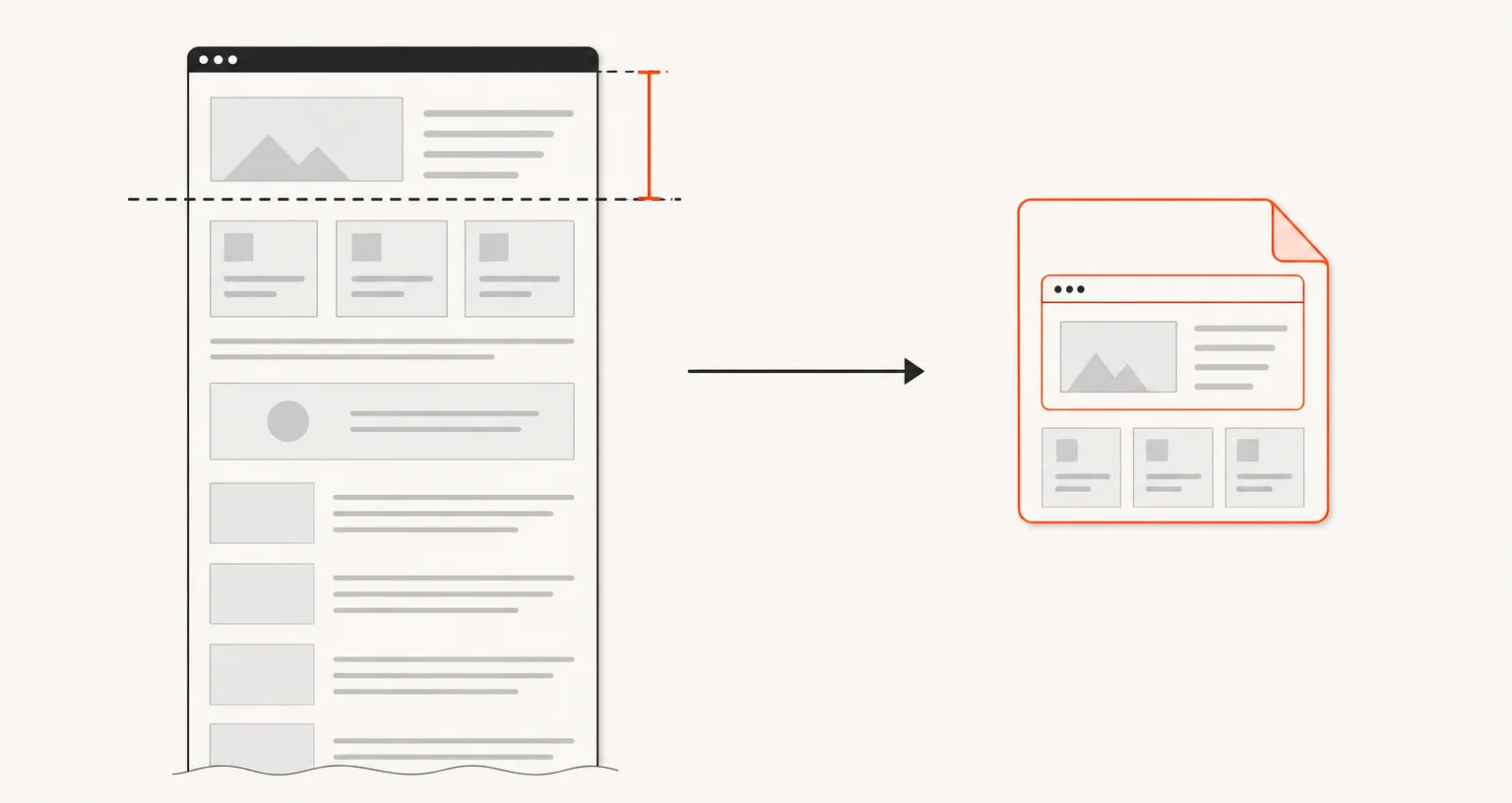
Screenshot Suite estimates the final size of a Full page or Full page from here capture before it starts scrolling. If the estimate exceeds either limit, it stops right away with a clear message, instead of scrolling through a very long page for a result that was never going to fit.
What should you do if a page is too large?
Two options that both work by capturing less at once: Full page from here starts lower on the page instead of at the very top, cutting the total height; Select an area captures one specific section instead of the whole page. Between the two, whichever matches what you actually need to keep is the more direct choice: starting lower if the top doesn’t matter, or a specific region if only one part of the page does.
Frequently asked questions
What are the exact size limits?
A browser canvas can't exceed 32,767 pixels on any one side, or about 268 million pixels in total, whichever limit a given page hits first.
Which limit actually stops most pages?
The 32,767-pixel height limit, in practice. At a typical capture width (1,200 to 2,560 pixels), that height is reached long before the total-pixel count would. The total-pixel limit only takes over on a page wider than about 8,200 pixels.
Why does Screenshot Suite stop immediately instead of trying anyway?
It estimates the final size before starting the capture. If it would exceed the limit, it says so right away rather than scrolling through a long page for nothing.
What should I do instead, if a page is too large?
Use Full page from here to skip the part of the page you don't need, or Select an area to capture one specific section instead of the whole page.