Capturing
How to screenshot a long page from where you're scrolled
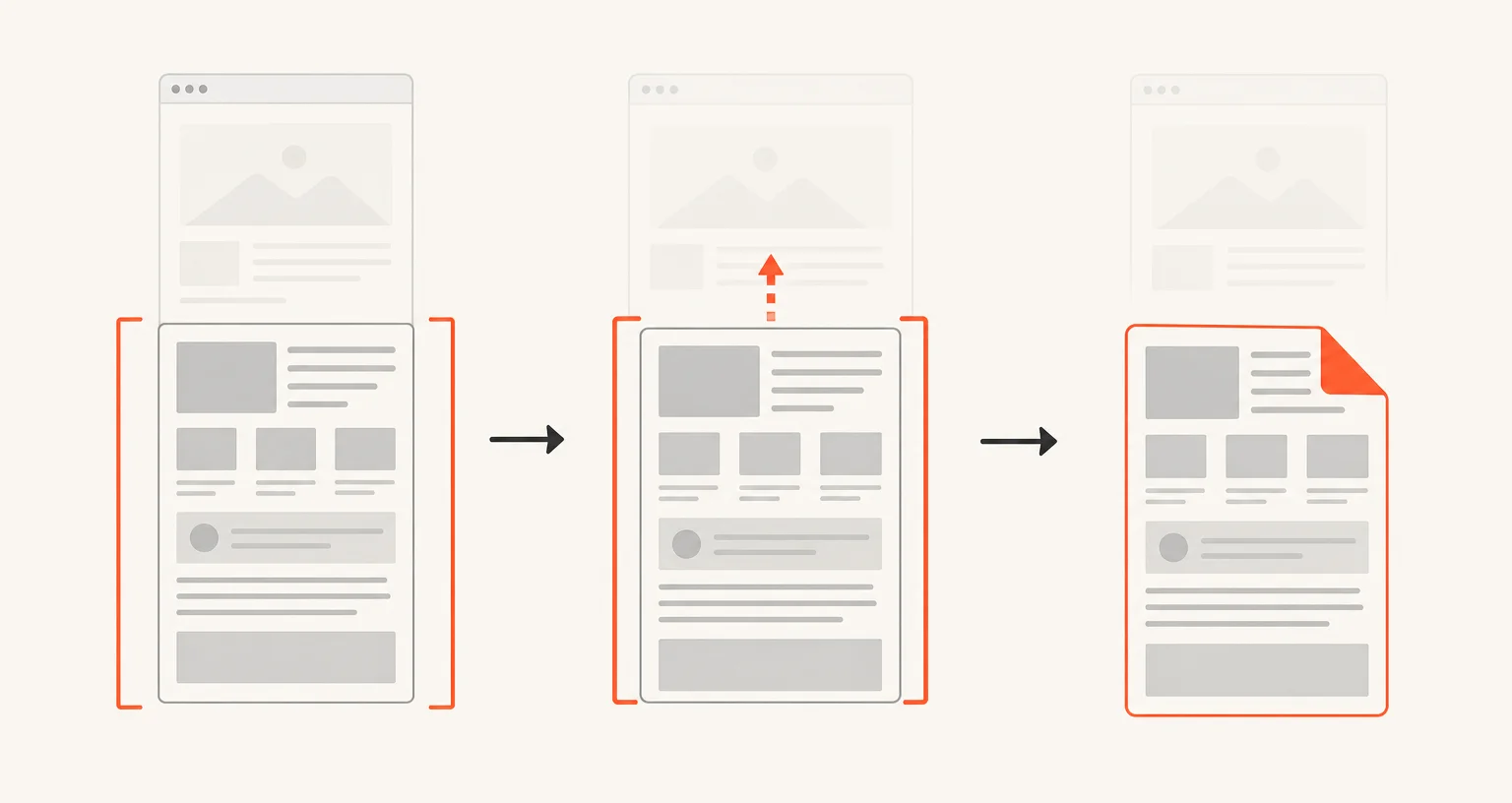
Screenshot Suite's Full page from here mode scrolls and stitches a page starting wherever you already are, all the way down to the bottom. It uses the same engine as Full page, just skipping whatever's above your current position.
Published · Updated
How do you capture a page from your current scroll position?
Scroll to wherever you want the capture to begin, open the Screenshot Suite popup, and choose Full page from here. The page scrolls and stitches from there down to the very bottom, waiting up to 1.5 seconds per screen for lazy-loaded images, the same engine as Full page, just starting lower. There’s no keyboard shortcut or right-click entry for this mode; it starts from the popup only.
When is this better than starting from the top?
Two common cases: the content above where you are doesn’t matter (a header, a menu bar, or a section you’ve already captured separately) or Full page told you the page is too large. Starting partway down reduces the total height to capture, which is often enough to bring a page back under the size limit below.
What are the limits?
The same browser canvas caps as Full page apply: 32,767 pixels on a side, or about 268 million pixels in total. Pages with a sticky or fixed header, or very aggressive lazy-loading, are handled on the same best-effort basis. If you need one specific section rather than everything from your position to the bottom, Select an area draws exactly the rectangle you want instead.
Frequently asked questions
Does this mode let me pick both a start and an end point?
No. It always continues from where you started down to the bottom of the page. To capture one specific block instead, use Select an area.
Will this avoid the size limits that a full-page capture might hit?
Not automatically, but it helps. The same canvas caps apply (32,767 pixels on a side, about 268 million pixels total), and starting partway down usually produces a shorter image than capturing from the very top.
Why would I use this instead of just scrolling and taking Full page from the top?
If the part above your position doesn't matter (a header you don't need, a cookie banner, content you've already captured separately), starting lower skips it instead of including it in the result.